Install with the wizard
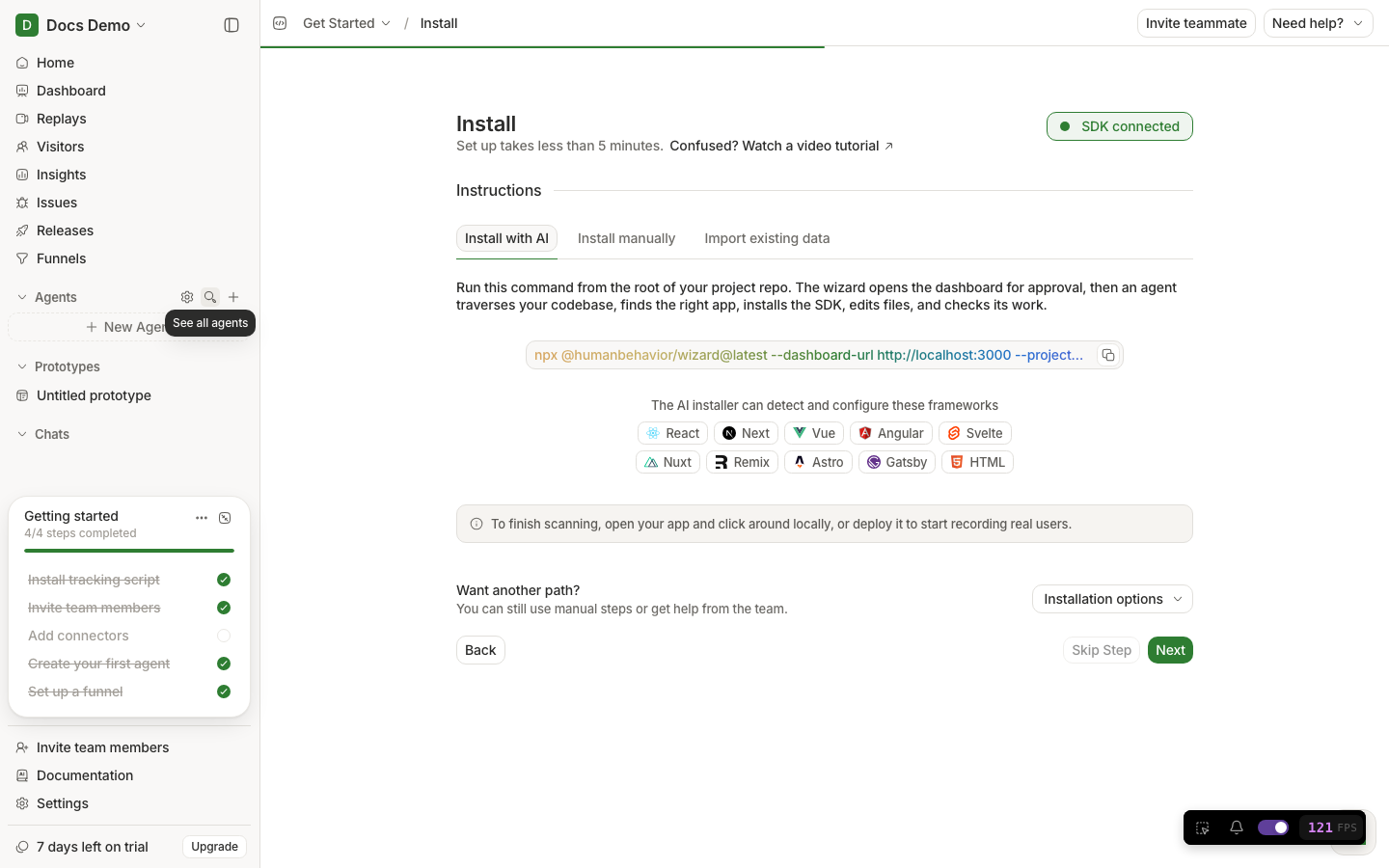
npx @humanbehavior/wizard: auth, what it edits, statuses, failures, and how it differs from in-app Install with AI.
What the wizard is
The CLI wizard is a command you run in a terminal inside your application folder. It:
- Opens a browser so you can Approve access to HumanBehavior (device login).
- Detects your JavaScript framework(s).
- Starts an AI agent that installs
humanbehavior-jsand wires init code in the correct file(s). - Writes environment keys.
- Runs project checks (lint/typecheck/build scoped to edits).
- Has the host (not only the AI) judge whether the install is trustworthy.
- Leaves
humanbehavior-install-report.mdin your project.
Package to run:
npx @humanbehavior/wizard@latestRuntime package it installs: humanbehavior-js.
How this differs from in-app “Install with AI”
| CLI wizard | In-app Install with AI | |
|---|---|---|
| Where | Your terminal | HumanBehavior Installation page |
| Edits your repo | Yes | Guidance / prompts; may still require you to paste |
| Auth | Browser Approve device flow | Already logged into the dashboard |
| Best for | Local codebases the agent can write to | Guided product onboarding |
You only need one successful install path.
Prerequisites
- Node.js installed (
node -vworks). - A JS browser app (Next, React, Vue, Svelte, Remix, Nuxt, Astro, Angular, Gatsby, or bundled HTML).
- A HumanBehavior account (so Approve works).
- Network access to Anthropic via HumanBehavior’s gateway (normal path) or a documented local override for benchmarks only.
Step-by-step
cdto your app root (or the frontend package in a monorepo).- Run
npx @humanbehavior/wizard@latest. - When the browser opens, sign in if needed and click Approve.
- Return to the terminal. Watch status lines (detect → edit → revise → done).
- Open
humanbehavior-install-report.mdand read what changed. - Start your app and complete Verify.
What “supported” means
The wizard will install for detected browser frameworks and bundled HTML (Vite/webpack/etc.).
The wizard will refuse early for:
- Backend-only Python (and similar non-JS)
- Unbundled static CDN-only HTML with no JS app structure
That refusal is intentional. A false “You're good to go” on a Flask API would be worse.
Outcomes you may see
| Status | Meaning | Your next action |
|---|---|---|
| success | Wiring + checks look good | Verify in the product |
| needs-attention | Structurally installed but a check failed (build/lint) or soft timeout with wiring present | Read the report; fix the cited files; re-run checks |
| failed | Unsupported or broken wiring | Fix project type or install manually |
Failed installs set a non-zero process exit code (useful in scripts).
What the host checks after the agent (plain English)
The host can downgrade a cheerful agent “success” if it can prove problems such as:
- Unsupported project type
- Missing install target
- Bad
HumanBehaviorTracker.initsignature (e.g. URL as second positional arg) - Empty API key / unsubstituted env placeholders
- Env/dependency written outside the chosen app
.envread via filesystem tools (policy violation)
Soft issues after structural wiring → needs-attention, not silent success.
Performance / behavior notes (so you are not surprised)
- Typical successful installs take about 1–3 minutes, sometimes longer on Next.js or large repos. This is an agentic installer, not a 10-second script.
- Default turn budget is 75 (
HB_WIZARD_MAX_TURNScan raise it for local debugging). - The host preinstalls the install skill and can skip package install when
humanbehavior-jsis already up to date. - Direct Read/Grep/Bash on
.env*files is denied; env must use wizard env tools.
Local agent key (benchmarks / debugging only)
For local matrix testing you can set HB_WIZARD_ANTHROPIC_API_KEY so the install agent uses your Anthropic key. Optional host overrides the CLI already reads:
HB_DASHBOARD_URLHB_INGESTION_URLHB_WIZARD_MODELHB_WIZARD_MAX_TURNSHB_WIZARD_DEBUG=1HB_TARGET_CWD/INIT_CWD
Without HB_WIZARD_ANTHROPIC_API_KEY, the wizard uses its normal hosted agent path. Do not rely on these overrides in CI that serves real users.
Common failures and fixes
| Symptom | Fix |
|---|---|
| Browser never opens / Approve times out | Allow popups; run again; complete Approve |
| “Unsupported” on Python repo | Expected — use a JS frontend or CDN HTML guide |
| Hits max turns on huge monorepo | cd into the frontend package; or raise HB_WIZARD_MAX_TURNS locally |
needs-attention after success-looking edits | Open install report; fix build errors the agent left |
| Hydration errors after provider wrap | Prefer leaf initializer on Next App Router — see Next.js guide |
Old docs said npx humanbehavior-js | That command is wrong. Use @humanbehavior/wizard |