Verify data is flowing
How to prove the SDK works using Installation Verify, Replays, Dashboard, network requests, and heartbeats.
What “verified” means
At least one of the following is true:
- In-app Installation → Verify shows live events (Page View, Click, Rage Click, …) and/or a live replay preview.
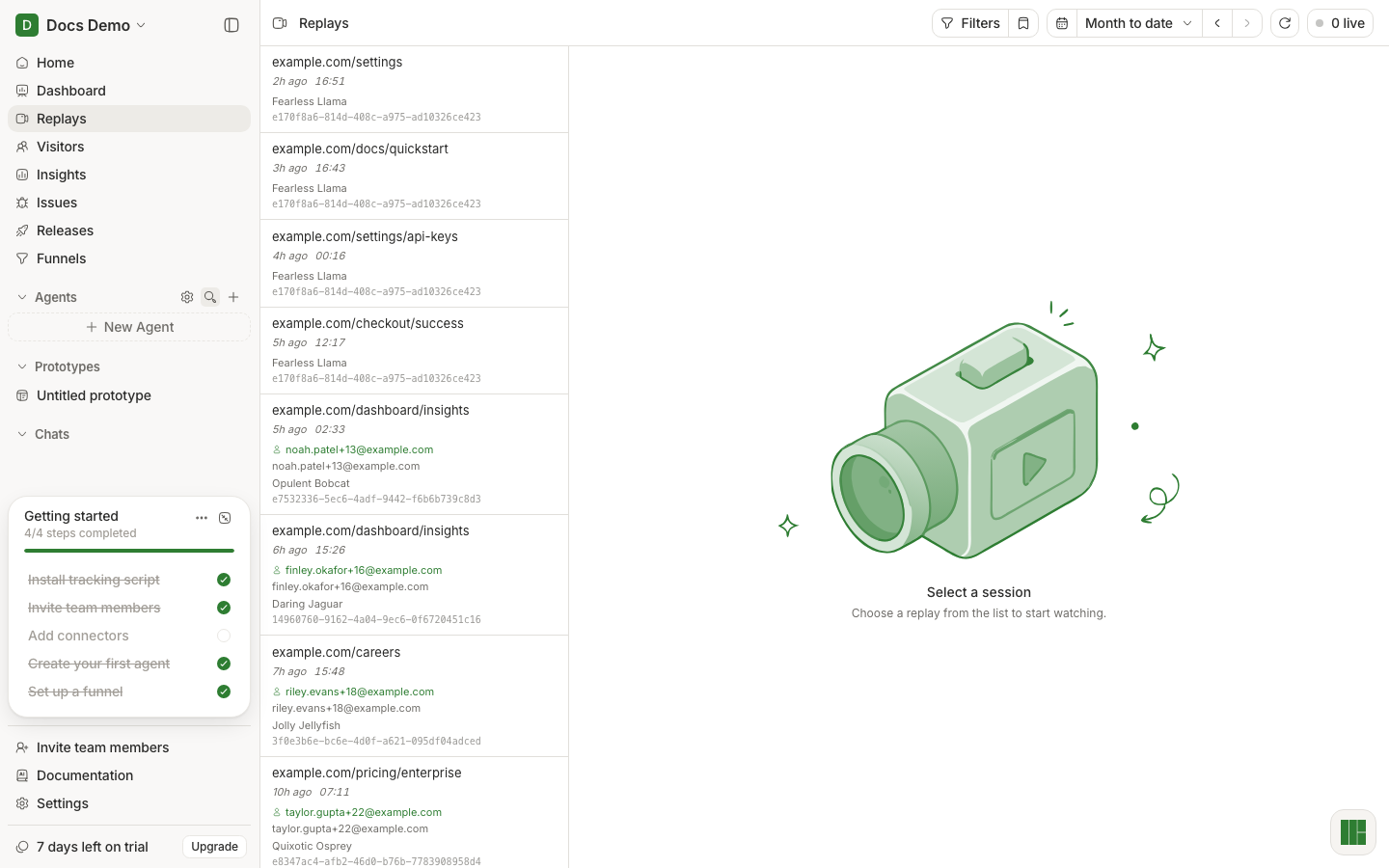
- Replays lists a new session you can open.
- Dashboard shows non-zero Visitors / Sessions / page activity for “today” (or your selected range).
If none are true after 2–3 minutes of using your app, treat install as not done.
Method A — In-app Verify step
- Open Installation (if still visible) or
/projects/:id/get-started/sdk?step=verify. - Keep your app open in another window.
- Click around your app (navigate, click buttons) for ~30 seconds.
- Watch the verify panel for live event types and the replay preview.
If the Installation link is gone, use Method B.
Method B — Replays + Dashboard
- Open your instrumented app (not only an iframe inside docs).
- Perform a short journey: home → another page → click something.
- Leave the tab open ~15–30s (heartbeats matter for “live” presence).
- In HumanBehavior: Replays → look for the newest row.
- Open it → confirm the player shows your UI.
- Open Dashboard → confirm KPI cards are not all empty for a sensible date range (try Today or Last 24 hours).
Method C — Browser network tab (developer proof)
- Open DevTools → Network.
- Filter for
ingestionor your ingestion host. - You should see requests such as:
/api/ingestion/events(after interact + the ~5s minimum-duration gate)/api/ingestion/heartbeat(while the tab stays open)- possibly
/api/ingestion/customEvent/batch,/errors, etc.
- You do not need
/api/ingestion/init— the current SDK creates session/user ids locally and does not call init on startup. - Status should be 2xx. 401/403 ⇒ wrong/missing key. Failed/blocked ⇒ ad blocker or wrong host.
Empty states you will see before data exists
Analytics pages often show a full-page empty state until the SDK is considered connected:
- Title like No data yet / No replays yet / No users yet / No issues yet / No funnels yet
- Primary button: Install Human Behavior
- More options → View demo, Book a call
That empty state is expected before a successful install. After data flows, it goes away.
Checklist if nothing appears
Work top to bottom — do not skip:
| # | Check | Pass criteria |
|---|---|---|
| 1 | API key | Same project you are viewing; env var loaded (restart dev server) |
| 2 | Init runs | Breakpoint/log in client entry fires once in the browser |
| 3 | Not SSR-only | Init is in a client component / gatsby-browser / Nuxt client plugin |
| 4 | Network 2xx | Ingestion requests succeed |
| 5 | Ad blocker | Clean browser profile or reverse proxy |
| 6 | Ingestion URL | Local apps point at ingestion (localhost:8000), not the Next dashboard port unless proxied |
| 7 | Date range | Dashboard/Replays not filtered to an empty window |
| 8 | Wait + refresh | Allow ~1–2 minutes; hard refresh the product |
Full matrix: I installed but see no data.