Triage a production error
Go from an open Issue to a linked Replay, understand what the user hit, and close the loop with Resolve, Ignore, or Mute.
By the end you will have investigated one real error the way a team does it in practice: open the issue, watch the minute before it fired, then choose Resolve, Ignore, or Mute with confidence.
Before you start
- The SDK is installed and verify shows sessions.
- Error capture is on (default for
humanbehavior-js). Prefer settingreleaseandenvironmentin init so Issues group usefully — see error monitoring. - Status filter on Issues defaults to open. Leave it there.
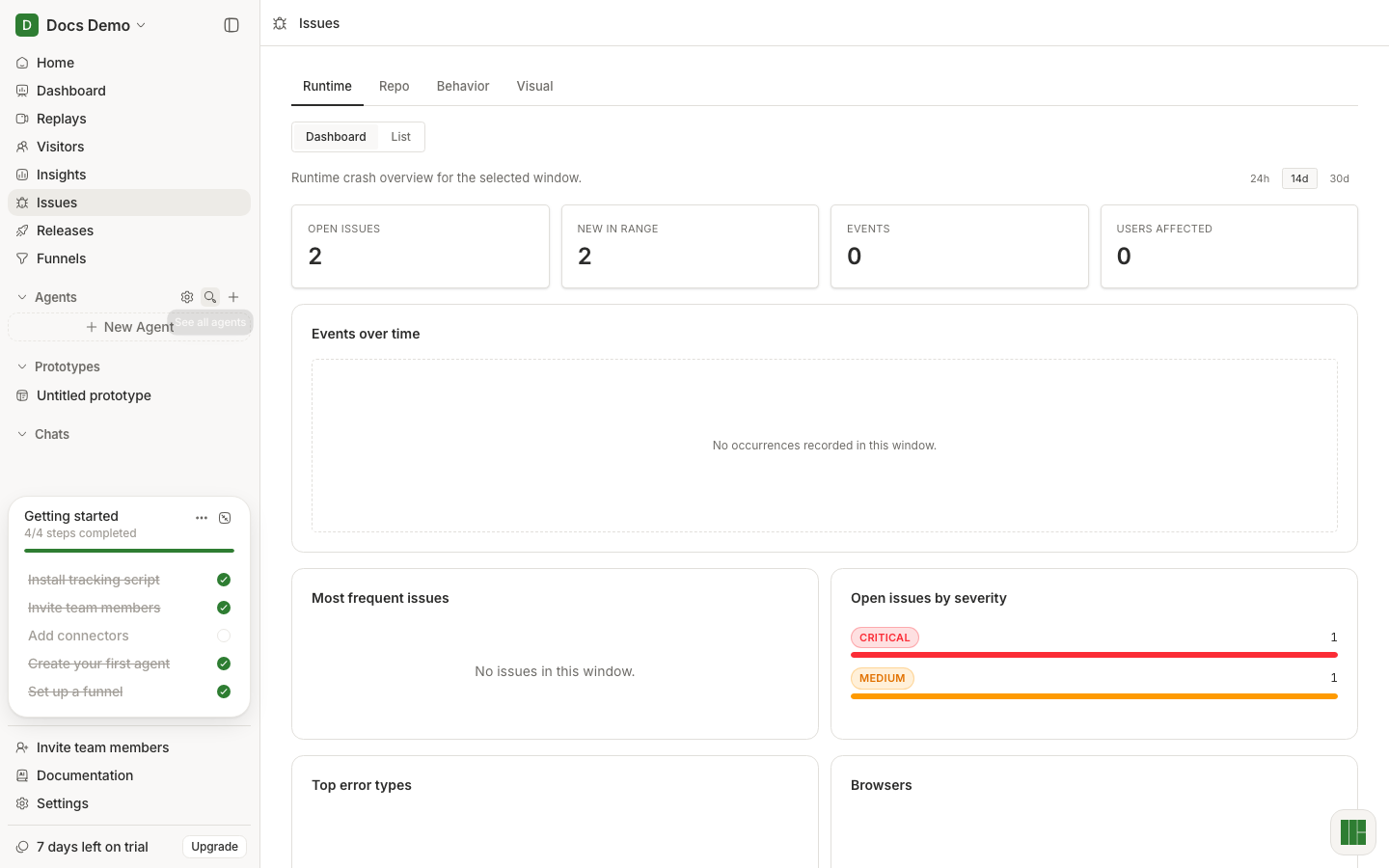
Open the Issues list
Go to Issues in the sidebar. Stay on the Runtime tab unless you are deliberately looking at Repo, Behavior, or Visual findings.
Scan for impact: recent activity, many affected users, or a title you recognize from support. Open one issue.
Read the issue, then watch a replay
In the issue detail, skim Affected users, First / Last seen, and the stack. If the stack is minified, you need source maps — fix that after this triage, not before watching evidence.
Open a linked session under Session replays. That is the point of Issues in Human Behavior: the error and the replay share a fingerprint and a session.
In the player:
- Seek to just before the error (or use the Issues activity tab).
- Note the page, the click or navigation that led here, and any console/network failures.
- Decide whether this is a real bug, expected noise, or something to mute for now.
Close the loop
Back on the issue:
- Resolve when you shipped a fix (or confirmed it is fixed). Check
release tagging later if you stamp
releasein the SDK. - Ignore when it is not worth prioritizing.
- Mute when you want it off the Open list but may revisit (find it again under Status → Muted or All).
Optional: ask Home something like “What other open issues share this route?” and follow the citations.
What good looks like
- You watched at least one linked replay for the issue you actioned.
- The issue is no longer sitting in Open unless you intentionally left it there.
- You can explain the user path in one sentence without reading the stack again.
If it did not work
- No issues at all — trigger an error in your app, or confirm error capture / no data.
- Issue has no replay links — the session may still be archiving; wait a minute, or open Replays filtered by the same time window.
- Stack is unreadable — upload source maps; triage from the replay meanwhile.
Next
Watch a confusing session if you want the full Replays activity-panel habit without starting from an error.
Control details for tabs and filters live in Issues reference.