Watch a confusing session
Use Replays the way investigators do: filter the list, play with the activity panel, then jump to Visitors, Issues, or Dashboard with evidence in hand.
A replay is not a video of a person — it is a reconstruction of what they saw and did. This guide builds the habit of reading the activity panel with the player, then leaving Replays into the surface that answers your next question.
Before you start
You need at least one session in Replays after verify. Prefer a session longer than a few seconds so there is something to scrub.
Find the right session
Open Replays. Set the date range the same way you would on Dashboard (shared filters). Use search or filters when you already know a page, user, or issue; otherwise open the newest interesting row.
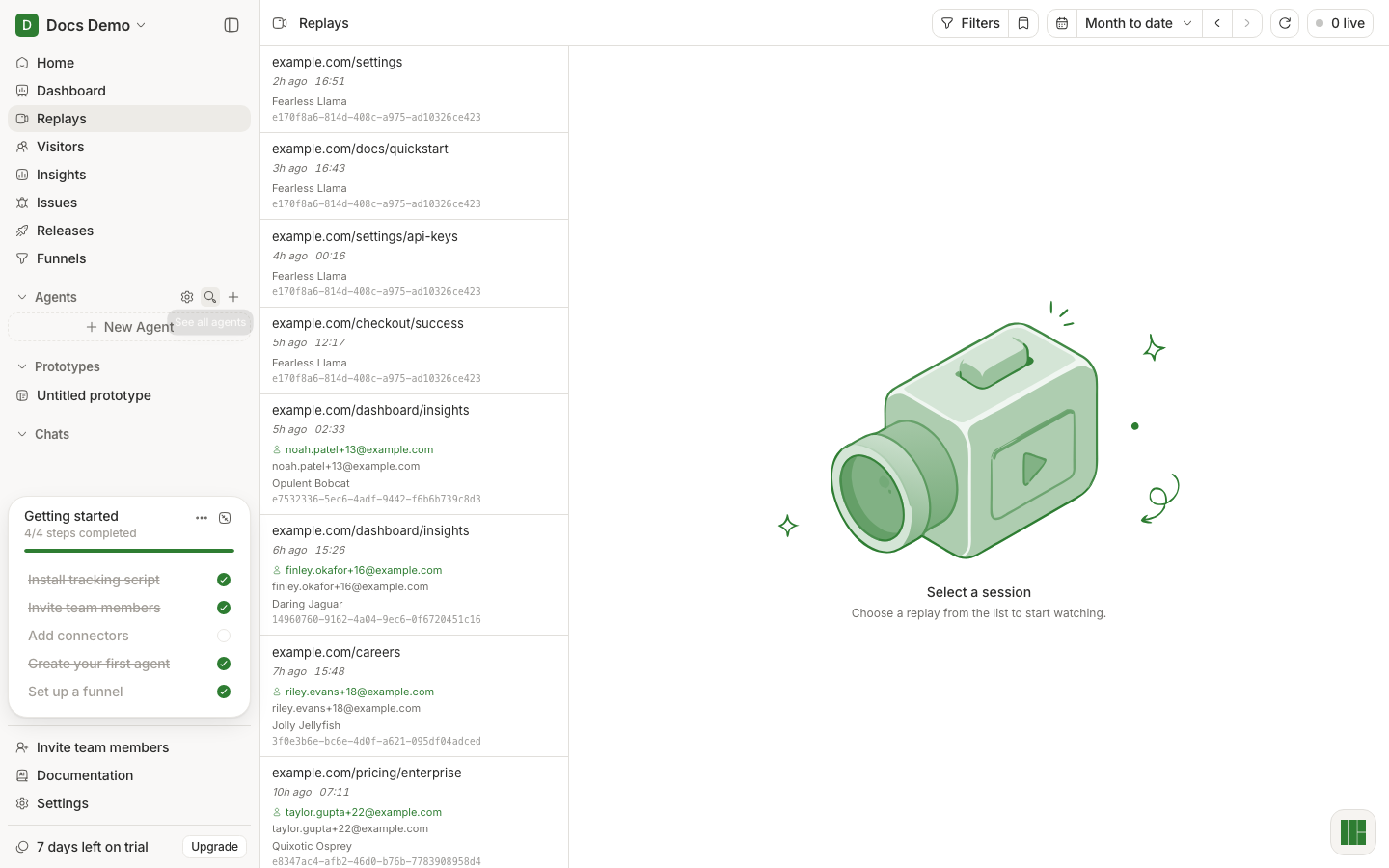
Deep links you will see in the wild:
- From Issues: list scoped with
issue= - Direct player:
replay=in the URL
Play with the activity panel open
Select a session. Press play. Turn on Skip inactive for long sessions.
Open the activity panel and treat it as the same timeline as the video:
- Events — what the person did (pages, clicks, custom events)
- Console / Network — what the app was doing
- Issues — errors tied to this session
- Web Vitals — performance moments when present
Scrub the player; the panel should move with you. That sync is the product.
Leave Replays with a next question
Do not stop at “I watched it.” Pick the jump that matches what you learned:
- Error or exception → open the linked Issue or Issues tab in the panel
- “Who was this?” → Visitors / user detail if identified
- “Is this page broken for everyone?” → Dashboard for that path
- “Summarize what happened” → Ask Home with the session context in mind
What good looks like
- You can narrate the session in three beats (arrived → struggled → left/errored) without rewatching.
- You opened at least one other product surface from what the replay showed.
If it did not work
- Empty list — verify and no data.
- Player blank or assets missing — wait for archival; try another session.
- No console/network — those captures depend on SDK options; see console and network capture.
Next
Triage a production error if the session had an error, or explain a dip if you are investigating traffic rather than a single user.
Player controls and URL params: Replays reference.