Verify
Confirm a real session arrived before you build anything on top of it.
The recorder batches events and posts them in the background, so "no errors in the console" is not proof that anything landed. Check the product instead.
Load your app, then open Replays
Visit a page in your app and click around for a few seconds. Then open Replays in Human Behavior. A new session appears at the top of the list with its duration, device, and country.
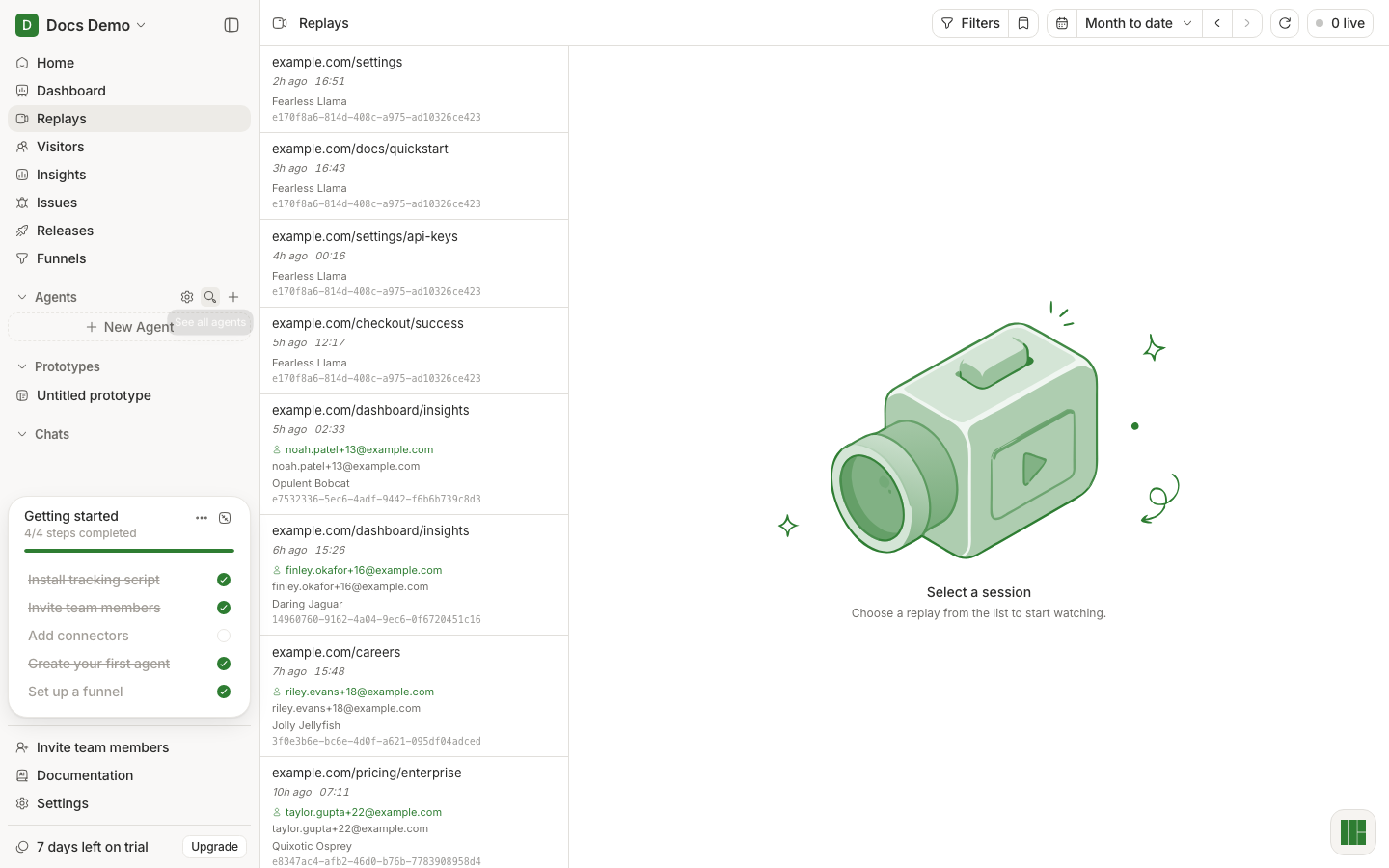
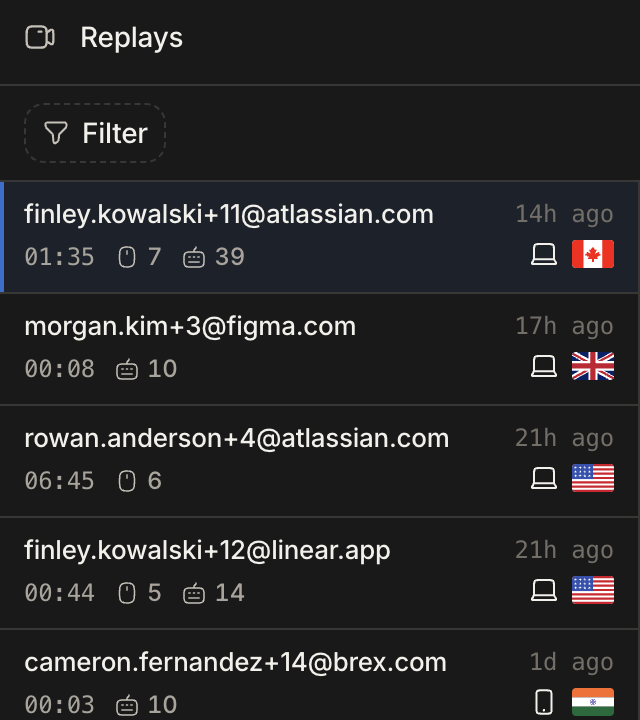
That row is the whole proof: it means the key was valid, the recorder started, and a batch reached ingestion.
Give it more than a few seconds
By default the SDK waits until a session is at least 5 seconds long before
sending anything, so a page you open and immediately close may never appear.
That is minimumDurationMilliseconds, and you can set it to 0 while testing:
HumanBehaviorTracker.init(apiKey, { minimumDurationMilliseconds: 0 });If nothing shows up
Work down this list — in practice it is almost always the first two.
- The key is
undefinedin the browser. Log it at the call site. If it is empty, the variable is missing the public prefix your bundler requires. See the table on Install. - Init ran on the server, not the client. In SSR frameworks the tracker logs that it initialized in a server environment and disables session tracking. The initializer has to be in client code.
- The session was too short. Set
minimumDurationMilliseconds: 0as above. - You are looking at the wrong project or environment. A key belongs to one environment; check you are reading the same one in Settings → Environments.
- An ad blocker dropped the requests. Check the Network tab for blocked requests to our ingestion host.
To see what the SDK itself thinks is happening, turn its logging up:
HumanBehaviorTracker.init(apiKey, { logLevel: "debug" });Once a session is landing, attach identity and your own events.