Create
Builder fields: name, channels, instructions, connectors, memory, automations, permissions, avatar, test chat, save — plus built-in report edit mode.
Routes
| Mode | URL |
|---|---|
| Create | /projects/:id/agents/new (often ?fresh=1) |
| From template | /agents/new?template=<templateId> |
| Edit | /projects/:id/agents/edit/[id] (same builder page) |
| Daily Report builtin | /agents/edit/[id]?builtin=report |
Legacy: ?edit= on /new still recognized as an edit key.
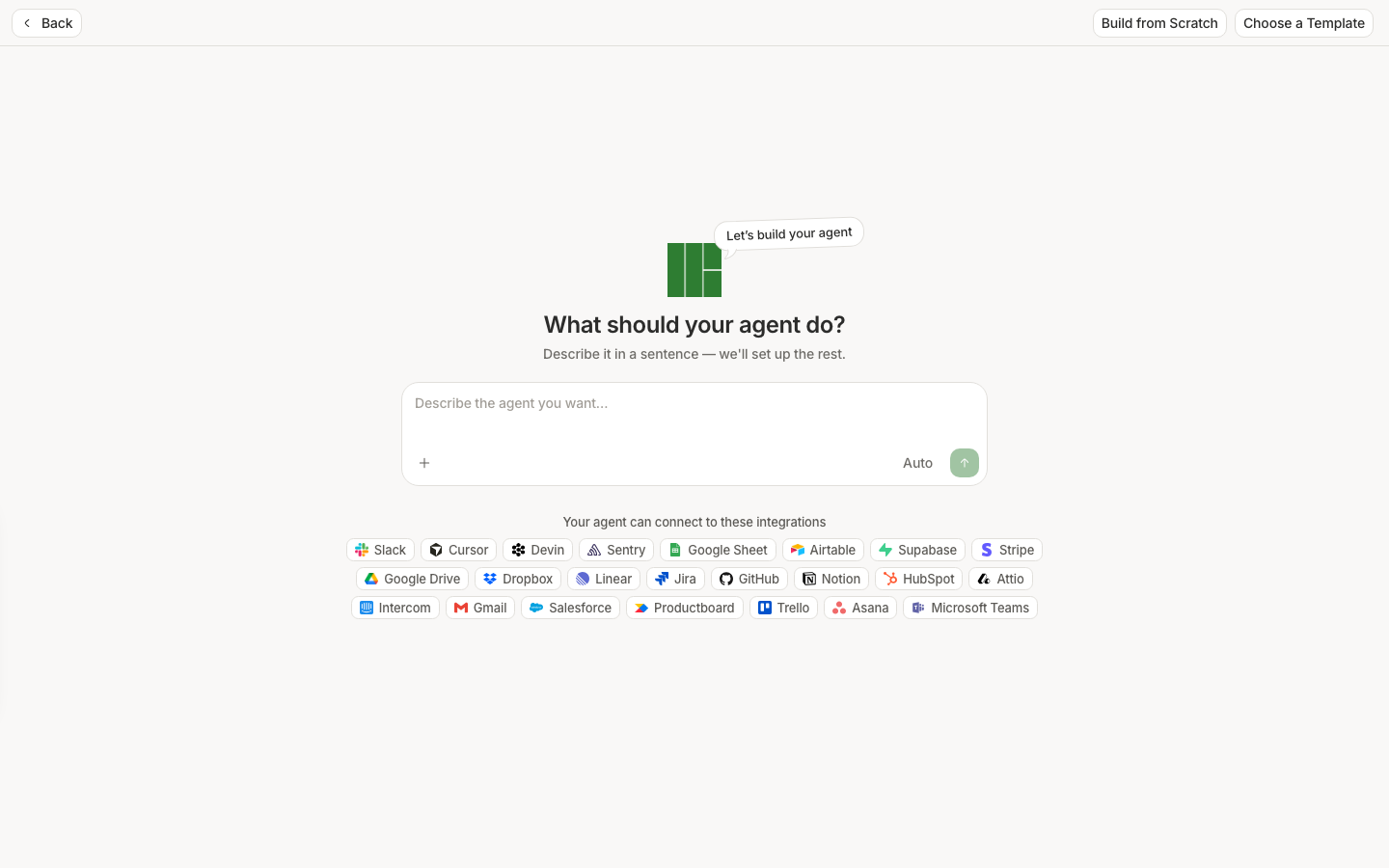
Two ways to start
Prompt-first (split chat)
Empty composer state:
- Title: What should your agent do?
- Description: Describe it in a sentence — we'll set up the rest.
- Placeholder: Describe the agent you want…
- Suggestion chips (examples):
- Review session replays for bugs and file Linear tickets
- Send me a weekly summary of user activity and drop-offs
- Alert Slack when users rage-click or hit errors
The builder chat can stream draft fields into the form (hb_refine_agent_draft / hb_propose_agent_draft / hb_create_agent).
Form / template
Browse Templates (manage page or builder) → Use a template → lands on /new?template=… with fields prefilled. You can also fill the form manually.
Back navigation
Top-bar back label:
- Normal agents: Back to agents
- Daily Report builtin: Back to dashboard
Required fields
Agent name
- Label: Agent name *
- Placeholder: e.g. Support Agent
- Helper: You'll @mention your agent by this name wherever you chat with it.
- Built-in locked name: helper This is a built-in agent, so its name can't be changed. (+ read-only field styling)
Avatar: edit appearance / Shuffle (tooltip) when available.
Instructions
- Section Instructions
- Placeholder: Give your agent instructions on how to operate. *
- Composer supports
@connector mentions (can open connect / permissions flows) - Empty instructions fail save/create (API 400)
Channels
Section Channels. Human Behavior chat is always present; at most one additional delivery channel (Slack or Email or SMS or WhatsApp) — enabling one replaces another.
| Channel card | Subtitle / behavior |
|---|---|
| Human Behavior | Chat with your agent. Badge Always on. Opens preview chat. |
| Slack (when added) | Replies to mentions — configure channels in Slack modal |
| Email (when added) | Sends final results — recipient picker from project people |
| SMS (when added) | Texts a verified number — uses each runner’s verified SMS number from profile |
| WhatsApp (when added) | Messages a verified number — default recipient field for “me” sends |
| + channel selector | Opens add-channel options (Slack / Email / SMS / WhatsApp) |
Connectors & Memory (under instructions)
Extender strip under the instructions field:
- Empty: Add connectors and memory (+ catalog logo teaser)
- With apps: N connector(s) connected
- Buttons: Connectors · Memory
Connectors (Browse apps modal)
- Group label Connectors
- Search placeholder Search connectors
- Empty search: No connectors match your search.
- Toggle toolboxes on/off; connect OAuth / credential forms; Manage permissions where capability groups exist
- Save blocked if enabled toolboxes still need a project connection — error like:
Connect {App} before creating/saving this agent, or remove it/them from Connectors.
See Tools for the catalog.
Memory
Memory opens the memory modal. Enabling memory preload adds the conversation_memory toolbox marker so memory tools load on runs. On the agent run page, the Memory tab manages directives/files for that agent.
Automations
Top-bar Automations (shows Automations (paused) when all schedules paused). Opens the schedule / event-trigger modal (cron rows, timezone, pause, event triggers such as new/regressed issues).
Schedules can show an Upcoming run row on the agent’s Recent chats tab.
For the Daily Report builtin, automations/preview/delete chrome is suppressed — scheduling is owned by the global daily report cron, not this modal.
Permissions
Some connectors (e.g. GitHub / Cursor / Devin code tools) open Agent permissions after connect — capability groups and repository scope steps. Least privilege: only enable the groups the agent needs.
Top-bar primary action
- Create mode: Create
- Edit mode: Save (disabled until something changed)
Test chat chrome
Builder / agent chat header patterns include New chat, history dropdown, Delete. Use them to exercise instructions before relying on schedules or Slack.
Tips for good instructions
- One job per agent (“summarize weekly funnel drop-off” beats “do analytics”).
- Name which connectors it should use and what to do when data is missing.
- Prefer concrete outputs (Slack reply, Linear issue, email summary) over open-ended “investigate.”